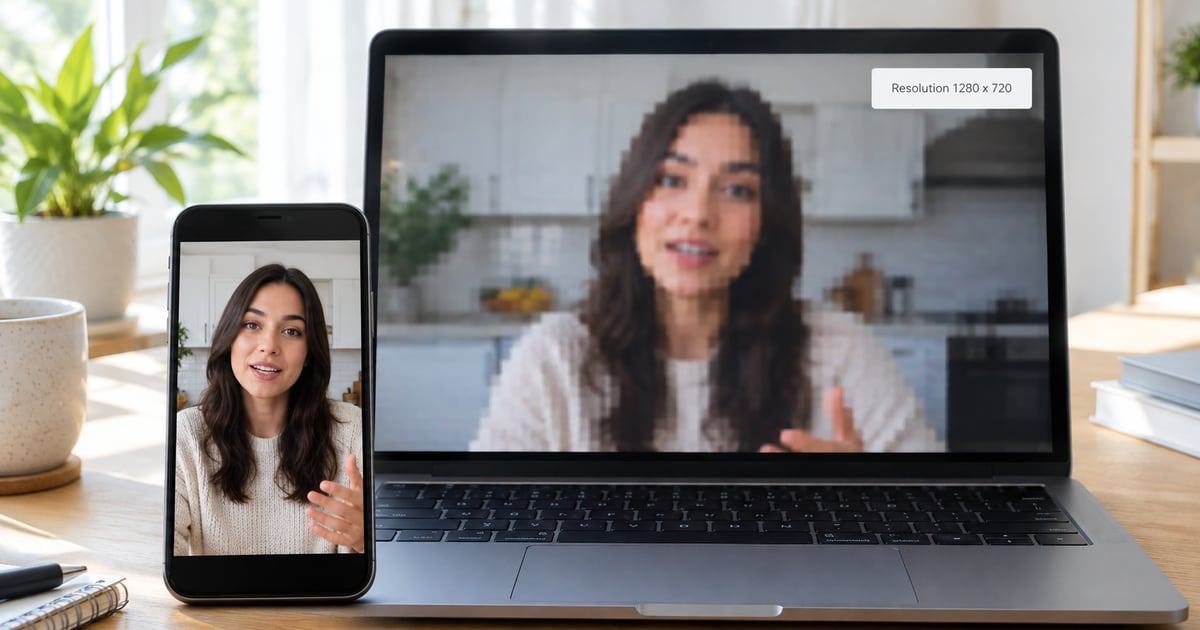
You saved a Threads clip, opened it on your laptop, and it looks worse than it did in the app. The download is rarely the cause. Our tool saves the MP4 Threads serves, so the softness was usually there all along, and your phone screen was hiding it.
You can check that in about a minute, and the answer decides which fix is worth trying.
Start by checking the resolution
Look at the width and height of the file before you blame anything else.
- Windows: right-click the file, choose Properties, then open the Details tab.
- Mac: open it in QuickTime Player and press Command + I.
- iPhone: after saving it to Photos, open the video and swipe up.
- Android: open the file in Google Photos and swipe up, or use your gallery app's details option.
If you have ffmpeg installed, this prints the width, height and bitrate in one line:
ffprobe -v error -select_streams v:0 -show_entries stream=width,height,bit_rate -of csv=p=0 clip.mp4In the clips we've tested, sizes ranged from 720×720 to 1280×720, plus tall 720×1280 videos. If your number looks like one of those, your file is normal for Threads.
A small video on a big screen
A 1280×720 clip fills a phone screen with room to spare. Put it in full screen on a 1920×1080 laptop and every pixel gets stretched 1.5 times in each direction. On a 4K TV it's three times. Your player has to invent the pixels in between, and invented pixels look soft.
Nothing about the file changed. Shrink the player window back to the video's real size and it will look sharp again. That is also the quickest way to test whether this is your problem.
Not much data to work with
Resolution is only half of it. Bitrate, the amount of data spent on each second, matters just as much. Social platforms keep it low so videos load fast on mobile data. A 30-second Threads clip usually weighs 4 to 15 MB, which works out to roughly 1 to 4 megabits per second.
That is plenty for someone talking to a camera against a plain wall. It falls apart on confetti, water, crowds and anything else where every pixel changes on every frame. If a clip goes blocky only when the camera moves, this is why.
The clip was already a copy of a copy
Lots of Threads videos started somewhere else. Someone screen-recorded a clip from another app, posted it, and someone else reposted that. Each round of encoding throws away detail, and none of it comes back.
You can usually spot these. Look for another app's watermark, a username from a different platform, app buttons burned into the picture, or black bars around the video. Search for the original post, because it will almost always be cleaner than the repost you found.
Matching what you see to a fix
| What you see | Likely cause | What to do |
|---|---|---|
| Soft everywhere, even on a phone | The clip was low resolution when it was posted, or it is a re-upload | Find the original post, or ask the creator for the file |
| Fine on a phone, soft on a laptop or TV | A small video is being stretched to fit a big screen | Watch it in a smaller window, or accept it. The file is fine |
| Blocky during fast motion | Too little data for what is happening on screen | Nothing on your side. Only a better source helps |
| Fine when saved, worse after you shared it | The chat app compressed it again | Send it as a document instead |
Skip the free AI upscalers
Upscalers guess at detail that was never recorded. On faces and text those guesses can look strange. Re-encoding a 720p clip as 1080p with a normal converter is worse, since you get a bigger file and the same picture.
If the clip looks fine on your phone and only suffers after you share it, the next step is sending it as a document on WhatsApp. And if you are working out what the file itself contains, the Threads to MP4 page covers the format.